 Mod
ModHaving issues? This guide covers the problems players hit most often. Updated
2026-10-12 for version 0.1.7.1.
Pick your problem
Connection Issues
First: both players have to use the same connection type. See Steam Relay and Direct connection.
Steam Relay
- The host needs the Steam copy of the game, launched through Steam, with Steam online. Xbox App, Microsoft Store and Game Pass copies cannot host over the relay.
- The join code is all a joining player needs - no address, no port, no router setup.
- If the host screen shows "Unavailable - start the game through Steam", restart the game from Steam, or switch both players to a direct connection.
Direct connection, host side
- The mod asks your router to open the port when hosting starts. Check the
UPnP:line in the mod's log; if the router refused or did not answer, follow Set up port forwarding. - Allow the port through the Windows Firewall and any antivirus.
- LAN Only refuses everything that is not from your local network. Switch it off for internet play, and for Hamachi or Radmin VPN - see Hamachi and other VPNs.
Direct connection, joining side
- Use the host's local IP on the same network, their public IP over the internet, or their VPN address over Hamachi and similar programs. The port has to match the host's exactly.
- The host's public IP can change from day to day. Ask for the current one.
- Check that your connection is not blocked by antivirus or your local firewall, and that you are online.
Mod Version Issues
Check that you have the same mod version as the people you are trying to play with. Your version is shown at the top of Options → CS2 Multiplayer Mod → General. Update the mod via Paradox Mods (PDXMods) to the newest version.
Still having issues? Remove the mod on PDXMods. Restart the game. Reinstall the mod on PDXMods. Restart the game.
Game Version Issues
Check that you have the same game version as the people you are trying to play with. You can find the game version in the bottom left of the Main Menu when you start the game. The beginning should look similar to this: 1.6.2f1. If not, update your game through Steam or XBox/Gamepass.
Still having issues? Verify Game Files (Steam: Right-click Game => Properties => Installed Files => Verify Integrity of game files; XBox/Gamepass (click)).
DLC Mismatch Issues
Check that you have the same DLC enabled as the people you are trying to play with. Learn how to disable DLC.
Cannot disable the CS1 Treasure Hunt DLC? It is ignored by the mod, so it never blocks a join.
Other Mods Enabled
Hosting and joining are blocked while any other mod is active in your Paradox Mods playset - including asset-only mods such as maps, prop packs and prefab packs.
- Disable every other mod in your active playset. Traffic, Road Speed Adjuster, Anarchy, Find It and Asset Icon Library are allowed; a playset with only this mod is the safest setup.
- Wait a few seconds; the banner clears on its own.
- If it says the mods are still loaded, restart the game once.
Advanced users can turn the check off under Options ▸ CS2 Multiplayer Mod ▸ Advanced ▸ Compatibility ▸ Ignore Mod Compatibility Checks (Own Risk), which permits other mods and mixed mod builds at the cost of desyncs, broken cities and crashes. Full details: Mods and compatibility.
Menu issues
The Multiplayer button is missing right after a mod update
On the launch that installs a mod update, Paradox Mods can finish downloading and enabling the mod long after the main menu is already on screen. Until that finishes the mod is not running at all, so no Multiplayer button exists yet.
Restart the game once. On the next launch the mod is already installed and loads before the menu is drawn. This is not a broken install, and nothing needs reinstalling.
If the button is still missing after a restart, continue below.
The Multiplayer button is missing at every launch
Go to options. Check that CS2MultiplayerMod appears in settings. If not:
Remove the mod on PDXMods. Restart the game. Reinstall the mod on PDXMods. Restart the game.
Check that you do not have any launch options preventing the mod from working. Check that the mod is in your active playset on PDXMods.
The mod options carry a Host tab and a Join tab that can start or join a session without the in-game screens.
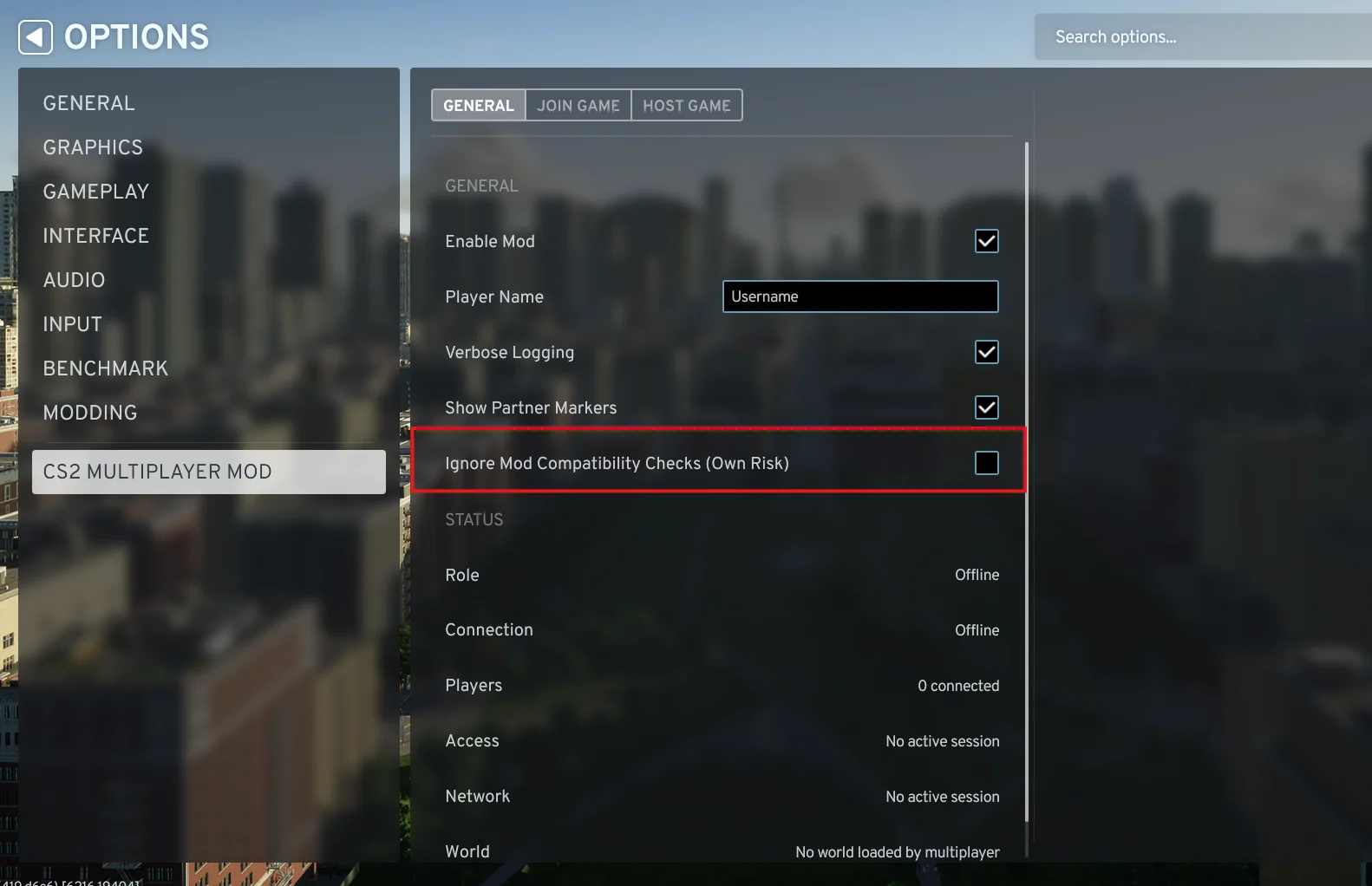
Those tabs are only a fallback
If you need them, the multiplayer screens never rendered, which means another mod broke the game's UI during startup. We cannot tell you which mod it was - remove the other mods and the normal screens come back. See Multiplayer UI did not load.
Troubleshooting by Error message
Every in-game multiplayer error now includes an Open Help action that targets the relevant guide. For a searchable list of every player-facing error, warning banner, save/exit failure, and multiplayer log-warning family, see the Error and Warning Reference.